In a shooter, your mouse is your aim. Weight, sensor, polling rate and shape matter far more than RGB lighting. Below are five mice that are popular in competitive FPS setups, from a featherweight esports flagship to an affordable wireless pick.
Every spec on this page comes from the manufacturer’s official product page. We haven’t run our own hands-on tests on these mice yet, and we’ll update this guide when we do.
Disclosure: When you buy through links on Open Gaming Now, we may earn a commission at no extra cost to you. As an Amazon Associate we earn from qualifying purchases. This never affects our rankings or picks. Read our full disclosure.
Quick comparison
| Mouse | Weight | Sensor | Best for | Price |
|---|---|---|---|---|
| Logitech G PRO X Superlight 2 | 60 g | HERO 2, up to 44K DPI | Best overall | Check Price |
| Razer Viper V3 Pro | 54 g | Focus Pro 35K | Lightest flagship | Check Price |
| Razer DeathAdder V3 Pro | 63 g | Focus Pro 30K | Ergonomic grip | Check Price |
| ZOWIE EC2-DW | 60 g | 400–3200 DPI steps | Plug and play | Check Price |
| Logitech G305 LIGHTSPEED | Heavier (AA battery) | HERO, up to 12K DPI | Budget wireless | Check Price |
Best overall
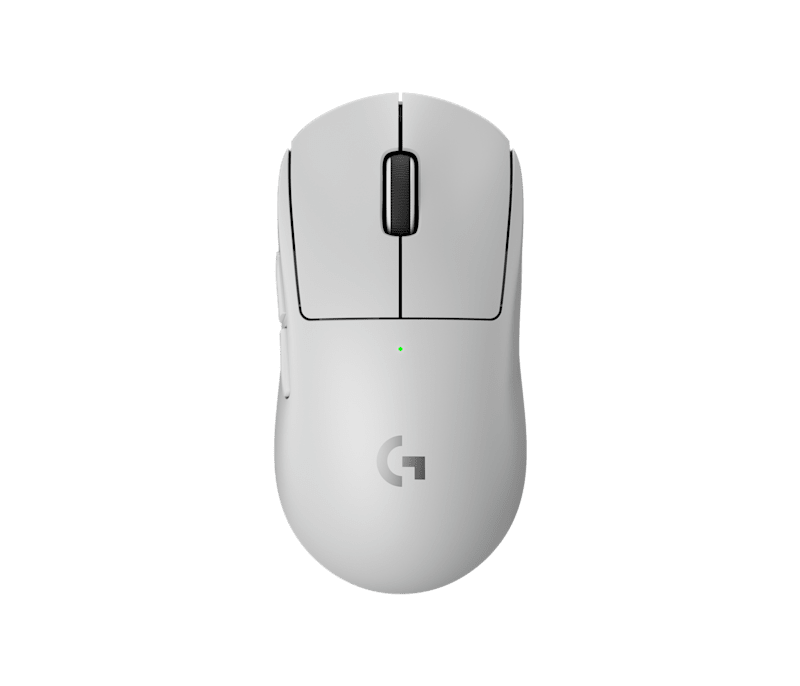
Logitech G PRO X Superlight 2
Why we picked it
A 60 g wireless mouse with a simple, symmetrical shape that suits most grips. Logitech’s HERO 2 sensor goes up to 44K DPI, wireless polling goes up to 8 kHz, and the battery is rated for up to 95 hours. It’s hard to find a weak spot for FPS play.
PROS
- Light at 60 g
- Up to 8 kHz wireless polling
- Up to 95 hours of battery, USB-C charging
CONS
- Few extra buttons for non-FPS games
- Plain look, no RGB
Lightest flagship
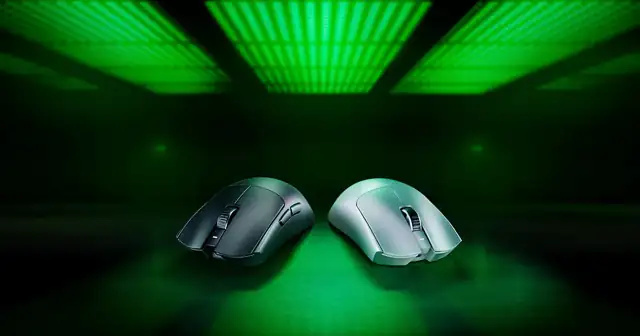
Razer Viper V3 Pro
Why we picked it
At 54 g (55 g for the white edition), this is the lightest mouse in this guide. It pairs Razer’s Focus Pro 35K sensor with 8000 Hz polling through Razer’s HyperPolling dongle, and the battery is rated for up to 95 hours. If fast flicks are your thing, this is the one to look at.
PROS
- Lightest here at 54 g
- Focus Pro 35K optical sensor
- Optical switches rated for 90 million clicks
CONS
- Symmetrical shape; palm grippers may prefer an ergonomic mouse
- Flagship pricing
Best ergonomic
Razer DeathAdder V3 Pro

Why we picked it
A right-handed ergonomic shape for palm and claw grips, at just 63 g. It uses Razer’s Focus Pro 30K sensor and is rated for up to 90 hours of battery. If symmetrical mice feel cramped in your hand, start here.
PROS
- Comfortable right-handed ergonomic shape
- Light for an ergonomic mouse at 63 g
- Up to 90 hours of battery
CONS
- Right-handed only
- 1000 Hz out of the box; 8 kHz needs a dongle sold separately
Best plug and play
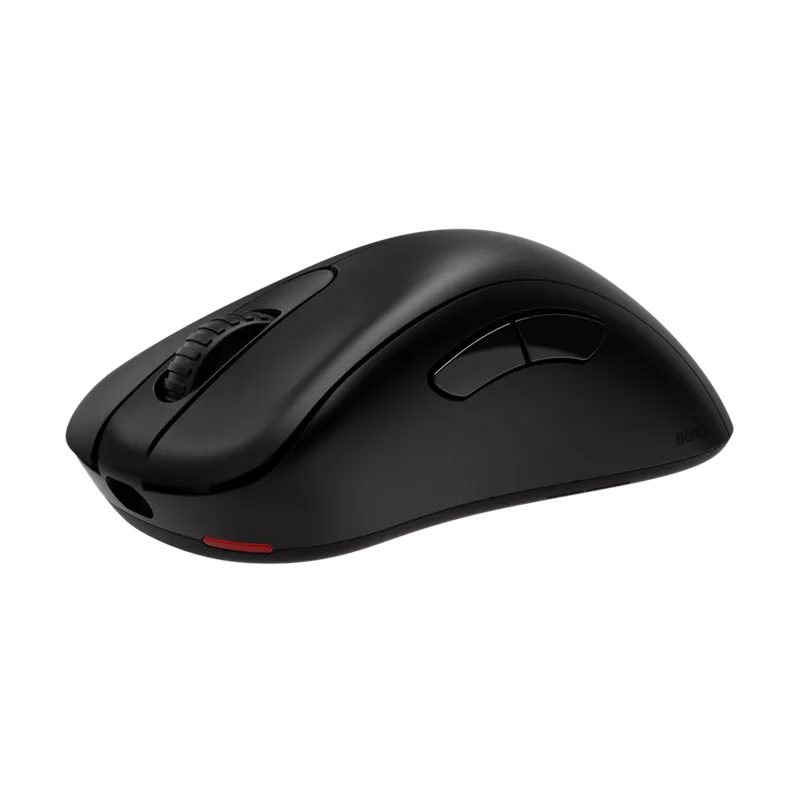
ZOWIE EC2-DW
Why we picked it
ZOWIE’s ergonomic EC shape, now wireless at 60 g for the medium EC2 size. It needs no driver or software: plug it in and play. The 4K receiver doubles as a charging dock, and the battery is rated for up to 80 hours at 1 kHz.
PROS
- No software needed
- Receiver doubles as a charging dock
- Comes in three sizes (EC1, EC2, EC3)
CONS
- Battery drops to about 24 hours at 4 kHz
- Fixed DPI steps (400 to 3200)
Best budget wireless
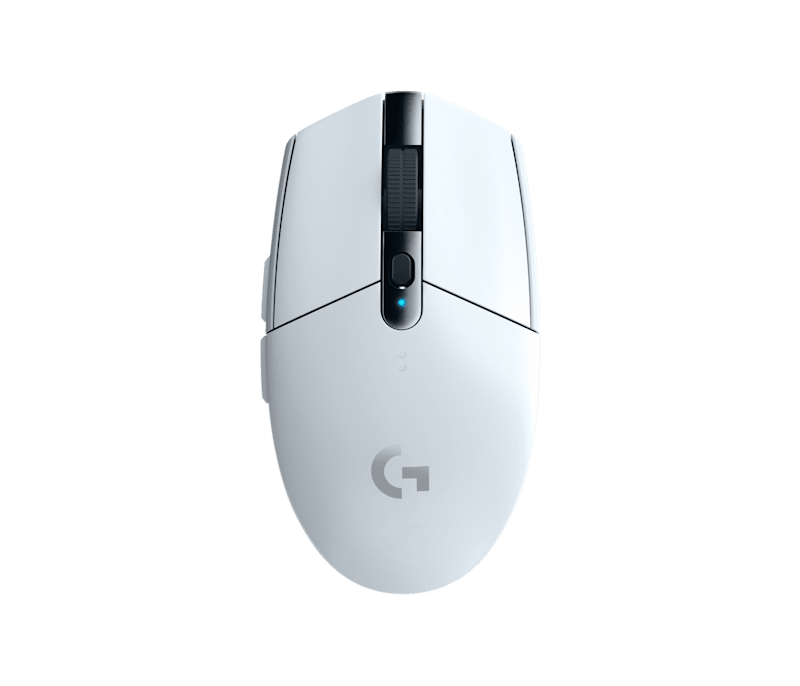
Logitech G305 LIGHTSPEED
Why we picked it
An affordable way into wireless. Logitech’s HERO sensor tracks from 200 to 12,000 DPI with no smoothing or acceleration, and LIGHTSPEED wireless keeps it responsive. It runs up to 250 hours on a single AA battery.
PROS
- Up to 250 hours on one AA battery
- HERO sensor, 200 to 12,000 DPI
- Affordable for a wireless gaming mouse
CONS
- Heavier than the others once the AA battery is in
- No rechargeable battery
How we picked
For FPS games, we focused on the things that affect your aim:
- Weight: lighter mice are easier to flick and stop quickly.
- Sensor: all five use modern optical sensors with no built-in acceleration or smoothing.
- Wireless performance: each uses its maker’s low-latency 2.4 GHz wireless, not Bluetooth, for gaming.
- Shape: we included both symmetrical and right-handed ergonomic options, because grip matters as much as specs.
- Battery: long enough to last through long sessions without constant charging.
Frequently asked questions
Is a lighter mouse better for FPS games?
Usually, yes. A lighter mouse takes less effort to start and stop, which helps with fast flicks and tracking. Some players prefer a little more weight for control, so it’s partly personal taste.
Do I need 4K or 8K polling?
Not necessarily. Higher polling rates can make the cursor feel slightly smoother on high-refresh monitors, but they use more battery and more CPU. 1000 Hz is still fine for most players.
Is wireless good enough for competitive play?
Yes. The 2.4 GHz wireless systems on these mice are built for competitive play. For the best signal, keep the receiver close to the mouse, for example with an extension cable on your desk.
What DPI should I use for FPS?
Many FPS players use 400, 800 or 1600 DPI and fine-tune with in-game sensitivity. Very high DPI numbers on the box are not something you need to use.
Ergonomic or symmetrical: which shape should I get?
Right-handed palm grippers often prefer an ergonomic shape like the DeathAdder V3 Pro or ZOWIE EC2-DW. Claw and fingertip grippers, and left-handed players, often prefer a symmetrical shape like the Superlight 2 or Viper V3 Pro.